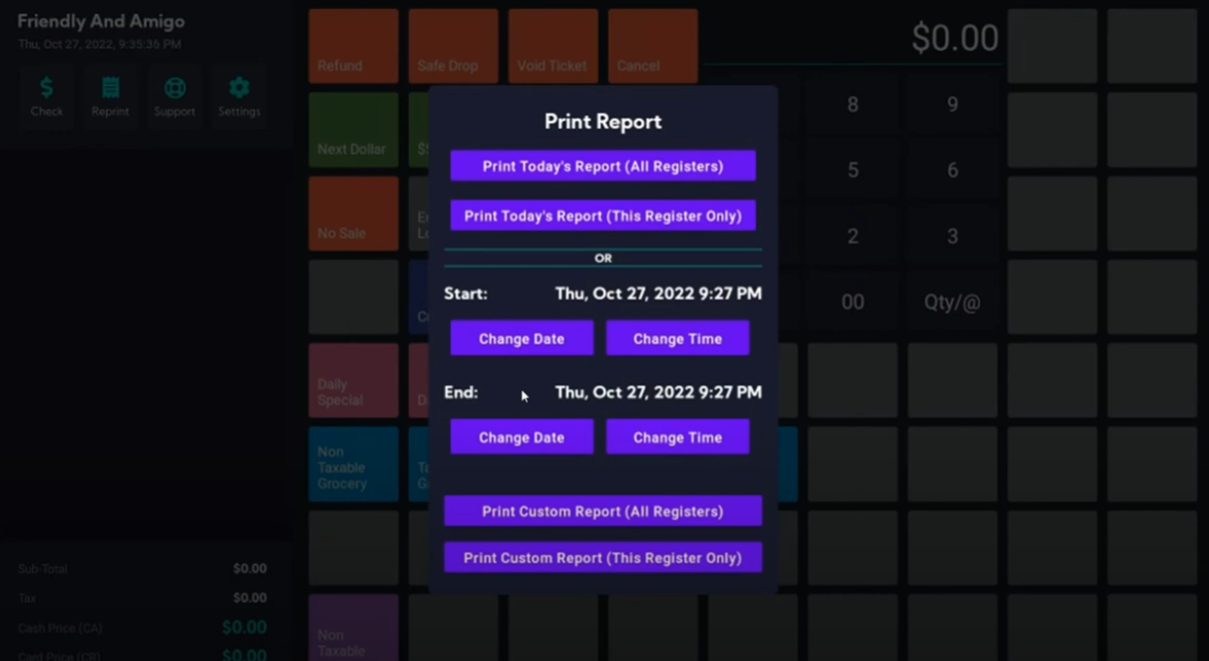
Supersonic has a great feature that allows you to print a report with custom date and times.
Here is how to do it:
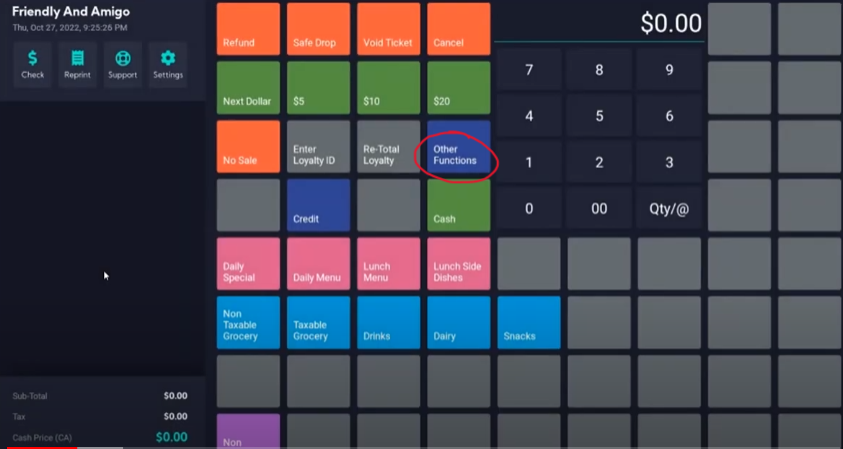
On your register, click 'Other Functions'
Then click 'Print Day/Month/etc. Report'
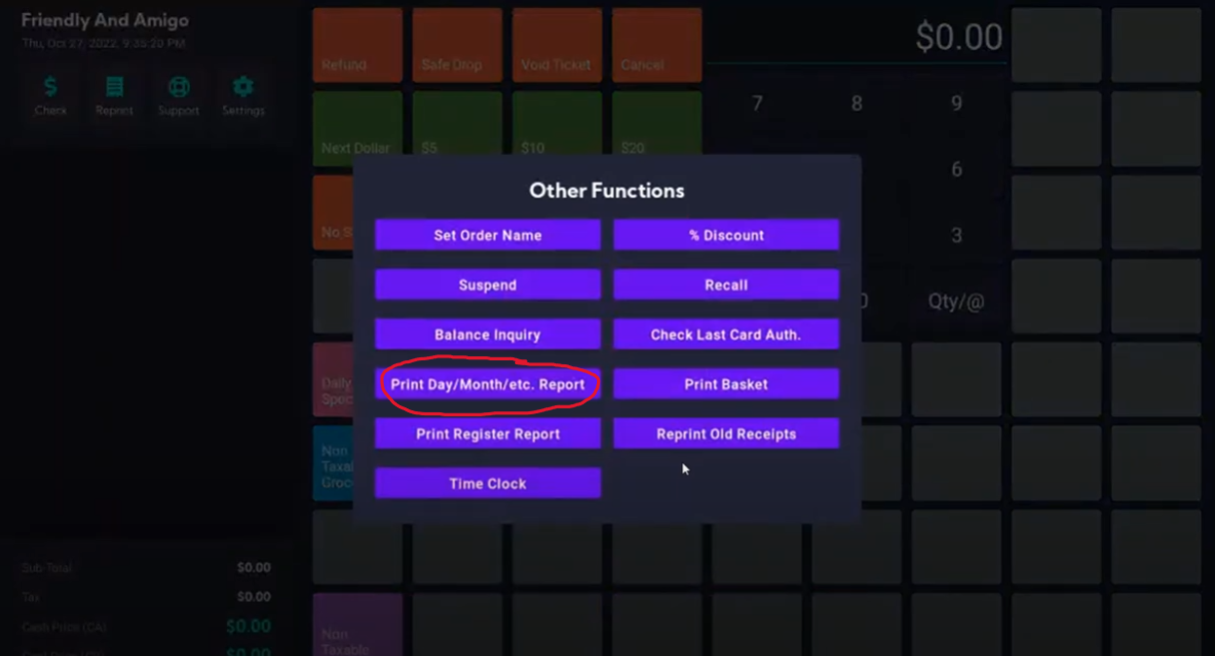
This allows you to do a couple of things:
- Print Today’s Report (All Registers)
This is for stores that have more than one Super Sonic POS or Gas Stations that have an integrated Super Sonic with Ruby Commander/Passport/Gilbarco. This report will pull data from all registers in the store, starting from the earliest shift opening of the day, to the current time, and print one full report. - Print Today’s Report (This Register Only)
This will print the full day’s report from this individual register, starting from the earliest register opening to the current time. (Example: the store opens at 6 a.m. shifts run from 6-1, 1-8, and 8-2a.m. the next morning. Since the 8-2 shift crosses 2 different dates, the register will pull data using the date of shift opening and run it to the current time.) - Manually select a date and time to begin and end the report. After selecting your custom date/time range, you can either print a report for this individual
register, or for all registers.